¶ Supervisor administrator
When you are logged into innovaphone as an XQv Recording admin (see first chapter) and click on the XQv Recording app icon, the admin UI opens with the following main menu:
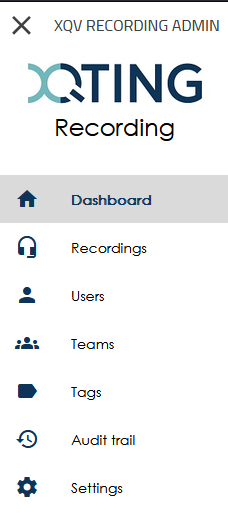
As a Supervisor Administrator, you have all the permissions of an Administrator and a Supervisor, including the ability to listen to recordings, view transcripts, and download audio files or transcriptions.
In addition, a Supervisor Administrator has access to all teams and their recordings. They can also manage teams, users, and system settings, as well as view the audit trail.
Supervisor Administrators can also download multiple audio files and/or transcriptions simultaneously as a ZIP file.
See Administrator and Supervisor pages for more information.
¶ Download multiple recordings
To download multiple recordings at once, select the desired recordings and click DOWNLOAD AS ZIP. All selected recordings will be downloaded in a single ZIP file.
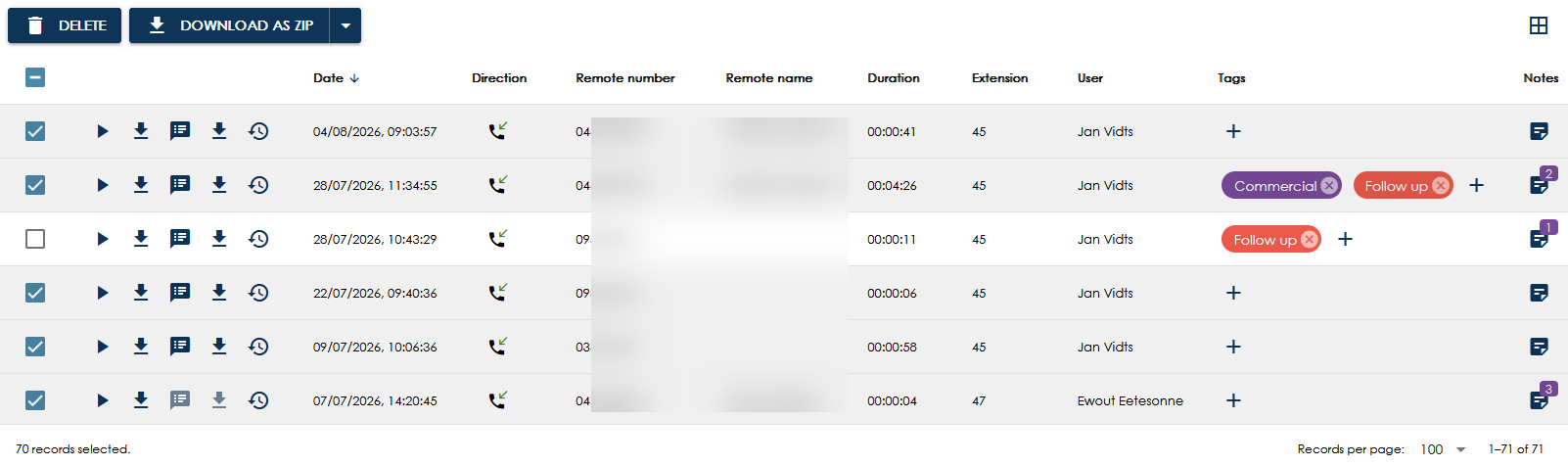
If transcription is enabled, you can choose whether to download the audio files, the transcriptions, or both.
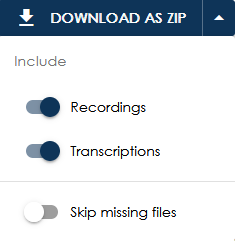
You can also enable the Skip missing files option. When enabled, recordings or transcriptions that cannot be retrieved from storage will be omitted from the ZIP file.
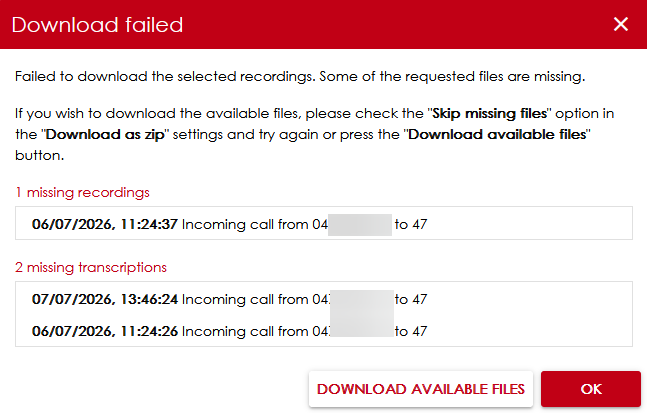
If this option is not enabled and one or more files cannot be retrieved, a error message will be displayed. You can then choose whether to continue and download all available files.